
Electronic Accessory User Manual


Table Of Contents
- 1. Getting Started
- 2. Quick Guide to Product Features
- 3. BOOKS Menu
- 3.1 Search Feature
- 3.2 Collins Dictionaries
- 3.3 Diccionario General de la Lengua Español Vox
- 3.4 Merriam-Webster’s Advanced Learner’s English Dictionary
- 3.5 Diccionario Merriam-Webster de Sinónimos y Antónimos en Inglés
- 3.6 Visual Dictionaries
- 3.7 Merriam-Webster’s ALD Supplemental Data
- 3.8 Franklin Thesaurus
- 3.9 Looking Up Inflections
- 3.10 Inflected Form Searching
- 3.11 Misspelling Words
- 3.12 Confusable Words
- 3.13 Uncertain Spellings
- 3.14 Searching for Idioms, Usage Examples and Collocations
- 3.15 Highlighting Words
- 3.16 Adding Words to My Word List
- 3.17 Hints on Inputting Words
- 4. LEARN Menu
- 5. EXERCISES Menu
- 6. TOOLS Menu
- 7. SETTINGS Menu
- 8. General Controls
- 9. PC Connections
- 10. Additional Information
- 11. Warranty Information
9
2. Quick Guide to Product Features
2.1 Dictionaries and Searching
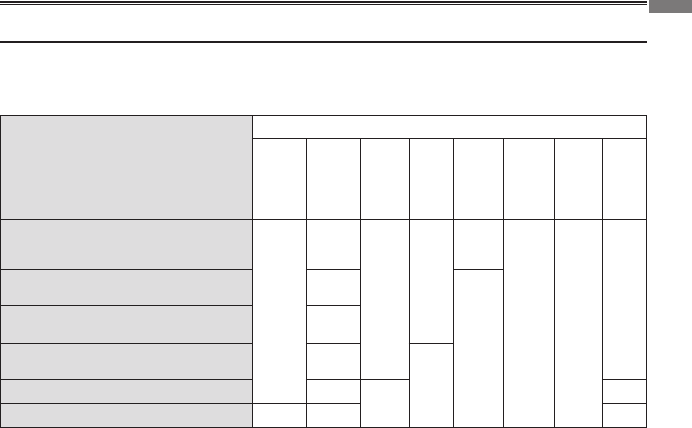
The table shows the possible ways for searching with each dictionary. For details,
refer to the sections in this user’s guide indicated in the table (for example, 3.1 means
referring to section 3.1 Search Feature).
Dictionaries
Search methods
Search
Word
Example
Idiom
Collocation
Inected
form
Uncertain
spelling
Visual
Collins Spanish Complete & Unabridged
Dictionary (Spanish-English/English-
Spanish)
3.1
3.2
3.14
3.14
3.14
3.10 3.13
–
Diccionario General de la Lengua
Española Vox
3.3
–
M-W Advanced Learner’s Dictionary 3.4
Diccionario M-W de Sinónimos y
Antónimos en Inglés
3.5
–
Spanish/English Visual Dictionary 3.6
–
3.6
Franklin Thesaurus – 3.8 –
Other dictionary features:
• Spelling Corrections > Section 3.11
• Tolookupinectionsorconjugations>Section 3.9
• Tolookupwordsinadictionaryentry>Section 3.15
• Toviewtheconfusablesofaword>Section 3.12
• Tosavenewwordsforfurtherstudyorreview>Section 3.16 and 4.5
2. Quick Guide to Product Features