FLE-100 TRAVEL TRANSLATOR F4 ENGLISH • FRANÇAIS ITALIANO • ESPAÑOL Electronic Publishers User’s Guide • Mode d’emploi Guida dell’utente • Manual del usuario
License Agreement READ THIS LICENSE AGREEMENT BEFORE USING THE PRODUCT. YOUR USE OF THE PRODUCT DEEMS THAT YOU ACCEPT THE TERMS OF THIS LICENSE. IF YOU DO NOT AGREE WITH THESE TERMS, YOU MAY RETURN THIS PACKAGE WITH PURCHASE RECEIPT TO THE DEALER FROM WHICH YOU PURCHASED THE PRODUCT AND YOUR PURCHASE PRICE WILL BE REFUNDED. PRODUCT means the software product and documentation found in this package and FRANKLIN means Franklin Electronic Publishers, Inc.
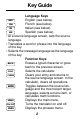
Key Guide Language Keys English (see below). FRA French (see below). ITA Italian (see below). ESP Spanish (see below). • At a source language screen, sets the source language. • Translates a word or phrase into the language of the key. • Selects the message language as the language of the key. Function Keys BACK Erases a typed character or goes back to the previous screen. CALC Selects the calculator. CLEAR Clears your entry and returns to the source language screen.
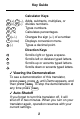
Key Guide Calculator Keys A D Q V X Z (+), S (–), (x), F (÷) - P (%) (+/-) (CONV) (•) Adds, subtracts, multiplies, or divides numbers. Types numbers. Calculates percentages. Changes the sign (+/-) of a number. Displays conversion menu. Types a decimal point. Direction Keys Scrolls right or types a space. Scrolls left or deletes typed letters. Scrolls up or accents typed letters. Scrolls down or accents typed letters.
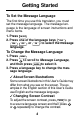
Getting Started To Set the Message Language The first time you use this translator, you must set the message language. The message language is the language of screen instructions and menu items. 1. Press ON/OFF . 2. Press one of the language keys ( ENG , FRA , ESP , or ITA ) to select the message language. To Change the Message Language 1. Press MENU . to scroll to Message Language, 2. Press and then press ENTER to select it. 3. Press a language key to change the message language.
Translating Words You can use this translator to translate a word from a source language into a target language. You can change the source language at a source language screen by pressing the desired language key. 1. Press CLEAR . 2. To change the source language, press a language key. 3. Type up to two words. To type a space, press . To erase a letter, press BACK or . 4. Press a language key to select a target language. Or press ENTER to translate the word into the most recently selected target language.
Translating Words 7. To translate the word into another target language, press one of the language keys. 8. Press CLEAR when finished. ✓ Correcting Misspellings If you misspell a word in any language, or if you enter a word that is not contained in this translator, a list of corrections appears. Use or to scroll to a correctly spelled word and press ENTER . ✓ Follow the Arrows The flashing arrows on the right of the screen show which arrow keys you can press to move around the screen.
Translating Phrases NOTE: The phrases in this product will be listed in the current source language. 1. Press PHRS . or to scroll to a category. 2. Use 3. Press ENTER . or to scroll to it. 4. Type a phrase or use To see a phrase that does not fit on the screen, press repeatedly. 5. Press a language key to translate the phrase. To see another translation, press another language key. 6. Press CLEAR when finished.
Finding Telephone Numbers You can find telephone numbers for airlines and airports around the world. 1. Press MENU . repeatedly until Telephone Num2. Press ber appears. 3. Press ENTER . or until Airline or Airport appears 4. Use and press ENTER . 5. Start typing the airline or airport name or or repeatedly until it appears press on the screen. You can also type the abbreviation for the airline or airport. 6. Press ENTER . 7.
Calculator and Conversions To Use the Calculator 1. Press CALC . 2. Use the numbered keys to type a number. To type a decimal point press . NOTE: in this product, a (•) is used as a decimal indicator. To erase a single digit, press BACK . To clear the number, press CLEAR . 3. Press A (+), S (–), D (x), or F (÷) to add, subtract, multiply, or divide. 4. Type another number. 5. Press ENTER (=) to calculate the equation. Or press V (%) to calculate the percentage. 6. To clear the calculation, press CLEAR .
Calculator and Conversions 3. Use repeatedly to scroll to the conversions (i.e., oF→oC) and then press ENTER . 4. Follow the screen directions to convert and press ENTER . 5. Press CLEAR when finished. ✓ Converting Money When you select the money converter, you must set the exchange rate equal to one unit of the home currency. First, select Money from the Conversions menu, select Set rate, and then type an exchange rate and press ENTER to select it. Finally, select a conversion (e.g.
Playing the Games To Play Hangman Hangman challenges you to type the letters of a mystery word. 1. Press MENU . 2. Press until Hangman appears and press ENTER . 3. To change the language of the mystery word, press one of the language keys. 4. Type letters. The ?’s represent letters of the mystery word. The numbers show how many guesses remain. 5. To show the word and end the round, press ENTER . 6. Press ENTER again to play a new round. To Play Quiz Quiz tests your translation skills.
Product Care Specifications Model FLE-100: Travel Translator F4 • Battery: 1 CR2032, lithium • Size: 6.9 x 10.1 x 0.8 cm • Weight: 45.36 g Replacing the Battery This product uses one CR2032, 3-volt lithium battery. Should you need to replace the battery, unscrew the screws on the back with a very fine screwdriver and carefully remove the back cover. Then install a new battery, plus sign (+) facing you, and replace the cover.
Limited Warranty (outside U.S.) This product, excluding batteries, is guaranteed by Franklin for a period of one year from the date of purchase. It will be repaired or replaced (at Franklin’s option) free of charge for any defect due to faulty workmanship or materials. Products purchased outside the United States that are returned under warranty should be returned to the original vendor with proof of purchase and description of fault.
Limited Warranty (U.S. only) Franklin Electronic Publishers, Inc. (“Franklin”) warrants to the end user that this product will be free from defects in material and workmanship for a period of ONE YEAR from the date of original retail purchase, as evidenced by sales receipt. On discovery of a defect, the end user must return this product (transportation charges prepaid) either to the dealer from whom it was purchased or directly to Franklin at the address given below.
FPS-28520-00 P/N 7201533 Rev A
FLE-100 TRAVEL TRANSLATOR F4 ENGLISH • FRANÇAIS ITALIANO • ESPAÑOL Electronic Publishers User’s Guide • Mode d’emploi Guida dell’utente • Manual del usuario