
Installation Instructions



23
Hardware Installation
3.5.5. Installing a Standalone NFC Reader
Follow the listed steps to install an NFC reader.
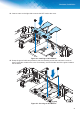
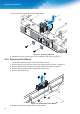
1. Locate the rear of the chassis and the installed NFC module.
2. Locate the locking lever on the NFC connector and gently rotate it to the open position to expose
the contact points.
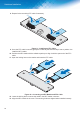
3. Align the FFC cable with the module connector. Make sure the blue strip faces upwards when
inserted into the connector.
4. Lower the locking lever over the FFC cable to lock it.
)LJXUH ,QVWDOOLQJDQ))&&DEOH
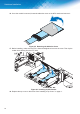
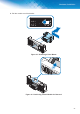
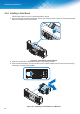
5. Once the module is secured, locate the adhesive cover on the NFC reader and remove it.
)LJXUH 5HPRYLQJWKH$GKHVLYH&RYHU
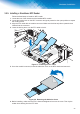
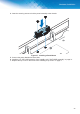
%HIRUHLQVWDOOLQJPDNHVXUHWKH))&LVÀDWDQGVWUDLJKWHQHGRXWRYHUWKHFRYHU7KHQOD\WKH
reader down starting from the FFC side.