
Owner's Manual





5
75
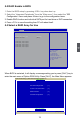
5-2 RAID Enable in BIOS
1. Enter the BIOS setup by pressing <DEL> key when boot up.
2. Select the “Integrated Peripherals” from the “Main menu”, then select the “IDE
Conguration” menu and press <Enter> to go to the conguration items.
3. Enable RAID function and individual SATA port for hard drive or DVD connection.
4. Press <F10> to save the setting then PC will reboot itself.
5-3 Select a RAID Array for Use
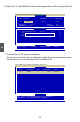
When BIOS is restarted, it will display a message asking you to press [Ctrl-F] key to
enter the main menu of Option ROM Utility. Press [Ctrl-F], the Main Menu appears.
Option ROM Utility (c) 2008 Advanced Micro Devices, Inc.
View Drive Assignments. . . . . . [ 1 ]
LD View / LD Define Menu . . . . [ 2 ]
Delete LD Menu . . . . . . . . . . . . [ 3 ]
Controller Configuration . . . . . . [ 4 ]
[ Main Menu ]
Press 1..4 to Select Option [ESC] Exit
[ Keys Available ]
Version 2.02.1205. Copyright (C) 2011 American Megatrends, Inc.
Aptio Setup Utility - Copyright (C) 2011 American Megatrends, Inc.
SATA Configuration
Onboard SATA Controller [Enabled]
Onboard SATA Mode [RAID]
▶ SATA Port1: Not Present
▶ SATA Port2: Not Present
▶ SATA Port3: Not Present
▶ SATA Port4: Not Present
▶ SATA Port5: Not Present
→ ←: Select Screen
↑ ↓: Select Item
Enter: Select
+/-: Change Opt.
F1: General Help
F2: Previous Values
F3: Optimized Defaults
F4: Save & Reset
ESC: Exit
Onboard SATA Controller
Advanced