
Database Security System User Guide

Report Manager Alert Report Manager
FortiDB Version 3.2 Utilities User Guide
15-32000-81369-20081219 25
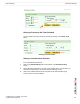
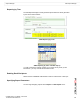
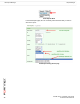
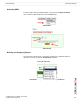
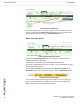
New Report Setting Screen (bottom)
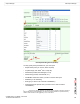
You may specify these parameters for your new report:
• Report Name (name you choose; this is required)
• ID (Alarm ID(s); each alarm
1
has a unique ID)
• Alert Status (handled, acknowledged, or not)
• Alert Severity (Critical, Informational, etc.)
• FortiDB MA module from which you want to see the alert report
• Database you are assessing
• Rule type you want to use to assess vulnerabilities )
• Guarded Items (the specific rules you want to use in order to assess
vulnerabilities )
1. An alarm is an internal notification of a potential security violation; customers experience
alarms indirectly through Alert Messages. An alert is an external notification of a potential security
violation; alerts contain, and are triggered by, one or more alarms.