
Database Security System User Guide

Report Manager Alert Report Manager
FortiDB Version 3.2 Utilities User Guide
15-32000-81369-20081219 21
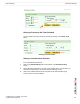
Setting a Timer-Based Schedule
Deleting a Previously Set Timer Schedule
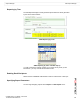
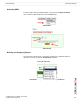
You can delete a previously set Timer schedule by clicking on the Delete Timer
button.
Deleting a Timer Schedule
Setting a Calendar-based Schedule
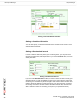
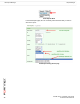
For a Calendar-based Schedule:
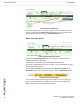
1 Click on the [Add Schedule] button at the bottom of the Schedule Setting
screen.
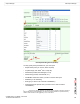
2 Specify the days and/or times you want. In the example shown, we are setting up
a schedule for monitoring to occur each week on Saturday at 2 am.
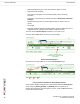
3 Click on the Add Schedule button at the bottom of the Add Schedule popup
screen in order to save the settings.