- Sanyo Fisher Co. Owner's Manual Multimedia Projector PLC-XF10N, PLC-XF10NL (Without Lens)
Manuals
Brands
Fisher Manuals
Projector
PLC-XF10NL (Without Lens), PLC-XF10N
41
42
43
44
45
46
47
48
49
50
Table Of Contents
PLC-XF10N / 10NL
Safety Precaution
Table of contents
Features and Design
Installation
Name of Each Part of the Projector
Setting Up the Projector
Moving the Projector
Connecting of the Projector
Terminal of the Projector
Connecting the Computer
Connecting the Video Equipment
Before Operating
Controls and Indicators
Operation of the Remote Control
Control the Projector
Basic Operation
Turning On / Off the Projector
Direct Operation
Mode Selection
Sound Volume Adjustment
Zoom Adjustment
Focus Adjustment
Lens Shift Function
Digital Zoom Function
Normal picture Function
Freeze Picture Function
No Show Function
P-Timer Function
Auto Image Function
Cursor Function
Menu Operation
Mode Selection
Sound Adjustment
Language Adjustment
Video Mode
Color System Selection
Video Source Selection
Picture Image Adjustment
Picture Screen Adjustment
Computer Mode
Computer System Selection
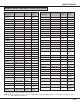
Compatible compuer Specifications
Auto Image Function
Picture Image Adjustment
Picture Position Adjustment
PC Adjustment
Picture screen adjustnment
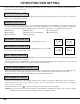
Other Function Setting
Blue Back (On or Off)
Display (On or Off )
Reverse L/R(On or Off)
Split Wipe (On or Off)
Power Management(On or Off)
USB(Mouse or Control)
Remote Control Code Change(Mode 1 or 2)
Lamp Age
Appendix
Maintenance
Temperature Warning Indicator
Air filter Care and Cleaning
Lamp Replacement
Cleaning the Lens
Trouble shooting
Technical Specifications
Limited warranty
1
...
...
40
41
42
43
44
...
...
58