
User's Guide


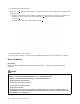
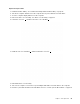

Table Of Contents
- About this documentation
- Chapter 1. Meet your computer
- Chapter 2. Get started with your computer
- Chapter 3. Explore your computer
- Chapter 4. Accessories
- Chapter 5. Secure your computer and information
- Chapter 6. Configure advanced settings
- Chapter 7. CRU replacement
- Chapter 8. Help and support
- Appendix A. Important safety information
- Appendix B. Accessibility and ergonomic information
- Appendix C. Supplemental information about the Linux operating system
- Appendix D. Compliance information
- Appendix E. Notices and trademarks

• Do not make the M.2 solid-state drive subject to physical shocks or vibration. Put the M.2 solid-state drive
on a soft material, such as cloth, to absorb physical shocks.
Your computer has two M.2-solid-state-drive slots. When you configure the M.2-solid-state-drive slot in the
UEFI BIOS menu, ensure that you select the correct menu item.
•
Slot
a : NVMe1
• Slot
b : NVMe0
Replacement procedure
1. Disable the built-in battery. See “Disable Fast Startup and the built-in battery” on page 45.
2. Turn off the computer and disconnect the computer from ac power and all connected cables.
3. Close the computer display and turn over the computer.
4. Remove the base cover assembly. See “Base cover assembly” on page 46.
5. Remove the M.2 solid-state drive:
a.
Remove the screw that secures the M.2 solid-state drive
1 .
b. Carefully remove the drive out of the slot
2 .
Chapter 7. CRU replacement 51