
User manual

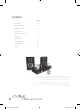


Control speaker functions
Power Button PresstoturnontheiTube,
powerindicatorwillilluminate
Master Volume Pressthe“+”buttontoincrease
mastervolume
Pressthe“-”buttontodecrease
mastervolume
Treble Volume Pressthe“+”buttontoincrease
treblevolume
Pressthe“-”buttontodecrease
treblevolume
Bass Volume Pressthe“+”buttontoincrease
bassvolume
Pressthe“-”buttontodecrease
bassvolume
Control iPod functions
WhenaniPodisdockedintothedockanddockisturned
on,someiPodfunctionscanbecontrolledusingthe
speakersystem’sremotecontrol
Play/Pause song Pressplay/pausebutton
Turn off iPod Pressandholdplaybutton
Skip to next song Pressnext/fastforward
Start a song again Pressprevious/rewind
Play previous song Pressprevious/rewindtwice
Fast forward song Pressandholdnext/fastforward
Rewind a song Pressandholdprevious/rewind
Remote Control
6
TrebleBass
Mute
ShuffleRepeatPower
Button
Play /
Pause
Back
Light
Next/Fast
Foward
Up
Menu
Down
menu
MenuStop
Volume
Select
Previous/
Rewind
Carbon 2 April08 UK.indd 6 21/10/08 13:37:19