
Operators Manuals User guide

06/08 18 51170 Rev. 1
Section 3: Operations
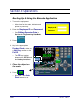
Booting Up & Using the Barcode Application
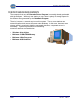
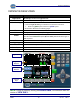
1. Turn on the equipment.
─ Allow time for the scale, indicator and
printer to power-up.
2. Enter the Employee ID and Password.
─ See Editing Operator Data in
Section 4: Programming DataBank.
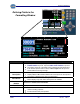
3. Press .
4. Key in the appropriate
Product Code, either as
a Hot Key number or the
Full ID
.
─ The F6 key toggles
between the Full ID and
the Hotkey functions.
5. Place the object on
the scale.
6. Press .
─ Not used if the Auto
Print
feature is on.