
Operators Manuals User guide

Section 2: Programming Introduction
06/08 17 51170 Rev. 1
Configuring Printer Properties with MS Windows
®
Program
The following steps detail the procedure for
setting Printer Properties.
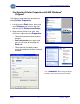
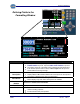
1. Left-click on the Start button, then scroll
up to Settings, then scroll to the right
and left-click on Printers and Faxes.
2. Right-click the printer to be used, then
scroll to the right and select Properties.
─ This allows permanently set property
changes.
─ Port Configuration (port type, baud
rate, etc.) is made by selecting the
Ports tab.
─ This method of formatting makes
numerous additional advanced settings
available.
REMEMBER: When setting the printer
resolution, faster speed equals lesser quality.