
User guide





ES9600 User Guide Chapter 8: Remote control Protocols
83 Version 1.13
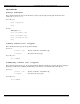
GetPlaylistProperties <playlistname> <property1> … <propertyN>
This command retrieves one or more playlist properties from the specified playlist. If no properties are specified,
then all playlist properties are returned.
Parameters:
<playlistname>
Name of the playlist to modify.
<property>
The name of the property to retrieve.
Player Response:
PlaylistProperty <property> <value>
…
PlaylistProperty
Example:
GetPlaylistProperties intro.espl.xml prop1 prop2 prop3
PlaylistProperty “prop1” “value for prop1”
PlaylistProperty “prop2” “value for prop2”
PlaylistProperty “prop3” “value for prop3”
PlaylistProperty
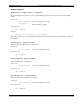
InsertPlaylistItem <playlistname> <clippath> <index>
This command inserts a clip into the playlist at the specified location. All items after the inserted item will have
their index numbers increased by one.
Parameters:
<playlistname>
Name of the playlist to modify
<clippath>
Path of the clip to append
<index>
The position
Player Response:
OK or ERROR
Example:
InsertPlaylistItem “someplaylist” “someclip” 2
OK
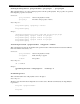
ListAllPlaylists
This command returns a list of all playlists stored on the player.
Player Response:
The player responds with a list of all playlists stored on the device. This list is terminated by an empty Playlist
response line.
Playlist <playlistname>
…
Playlist