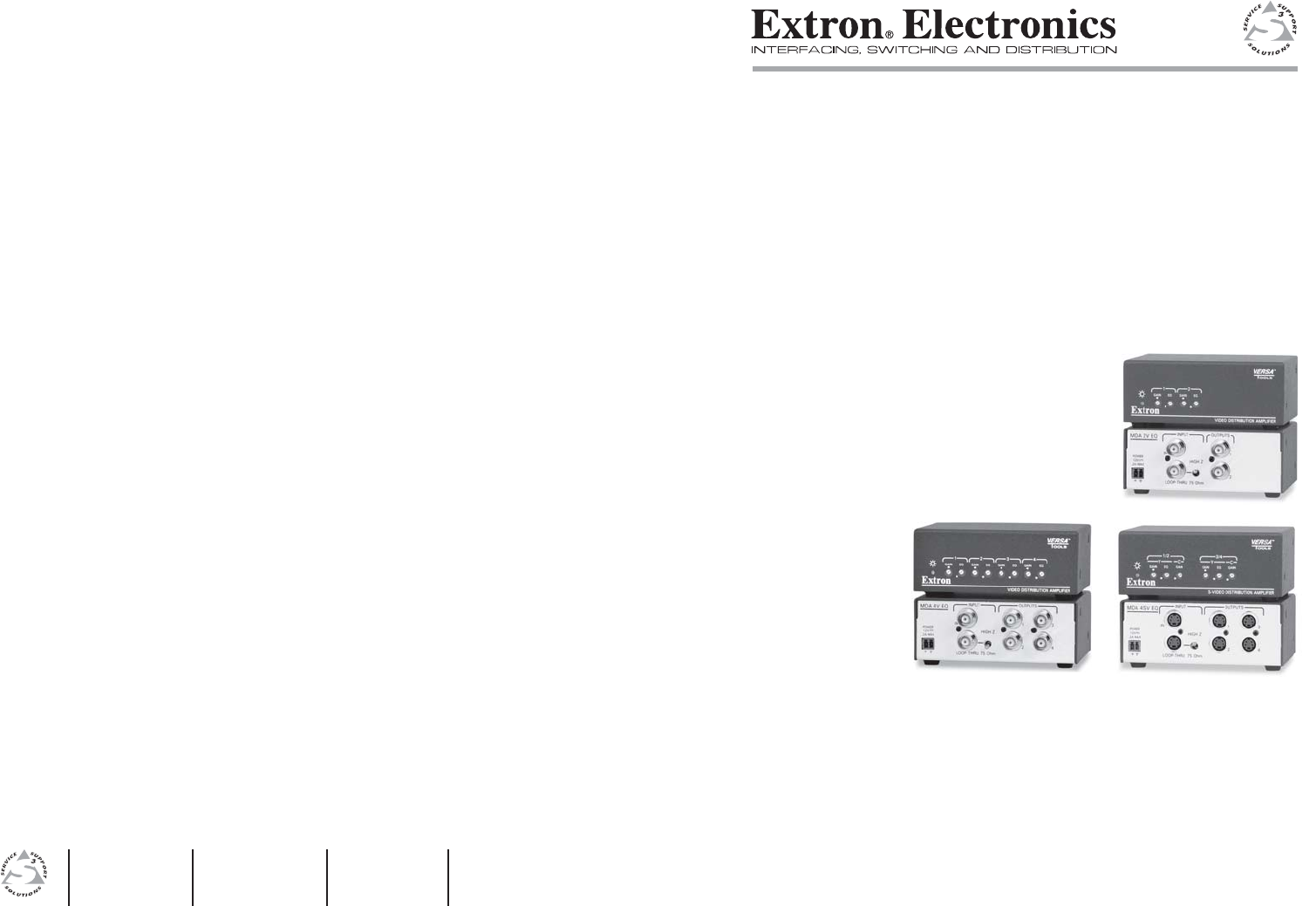
im Vertrieb von CAMBOARD Electronics User’s Manual MDA 2V EQ, MDA 4V EQ, and MDA 4SV EQ VersaTools® Video Mini Distribution Amplifiers www.extron.com Extron Electronics, USA Extron Electronics, Europe Extron Electronics, Asia Extron Electronics, Japan 1230 South Lewis Street Anaheim, CA 92805 USA 714.491.1500 Fax 714.491.1517 Beeldschermweg 6C 3821 AH Amersfoort The Netherlands +31.33.453.4040 Fax +31.33.453.4050 135 Joo Seng Road, #04-01 PM Industrial Building Singapore 368363 +65.6383.
im Vertrieb von Precautions Safety Instructions • English This symbol is intended to alert the user of important operating and maintenance (servicing) instructions in the literature provided with the equipment. This symbol is intended to alert the user of the presence of uninsulated dangerous voltage within the product's enclosure that may present a risk of electric shock. Caution Read Instructions • Read and understand all safety and operating instructions before using the equipment.
im Vertrieb von CAMBOARD Electronics ᅝܼ乏ⶹ 噝 Ё᭛ 䖭Ͼヺোᦤ⼎⫼᠋䆹䆒⫼᠋ݠЁ ⱘ᪡㓈ᡸ䇈ᯢDŽ 䖭Ͼヺো䄺ਞ⫼᠋䆹䆒ᴎݙᲈ 䴆ⱘॅ䰽⬉य़ˈ᳝㾺⬉ॅ䰽DŽ ⊼ᛣ 䯙䇏䇈ᯢк 䯙䇏䇈ᯢк 噝 ⫼᠋Փ⫼䆹䆒ࠡᖙ乏䯙䇏ᑊ⧚㾷 ᳝ᅝܼՓ⫼䇈ᯢDŽ ֱᄬ䇈ᯢк ֱᄬ䇈ᯢк 噝 ⫼᠋ᑨֱᄬᅝܼ䇈ᯢкҹᇚᴹՓ⫼DŽ 䙉ᅜ䄺ਞ 噝 ⫼᠋ᑨ䙉ᅜѻક⫼᠋ᣛफϞⱘ᠔᳝ ᅝܼ᪡䇈ᯢDŽ 䙓ܡ䗑ࡴ 䙓ܡ䗑ࡴ 噝 ϡ㽕Փ⫼䆹ѻકॖଚ≵᳝㤤ⱘᎹ 䗑ࡴ䆒ˈҹ䙓ॅܡ䰽DŽ www.camboard.de Tel.
im Vertrieb von CAMBOARD Electronics Quick Start Guide — MDA EQ Series To install and set up an MDA EQ Series mini distribution amplifier, follow these steps: Step 1 Turn all of the equipment off and disconnect it from the power source. Step 2 Mount the MDA EQ on a projector, under a desktop, or on a rack shelf, as illustrated below. (The illustration shows a VersaTools® rack shelf; you can also use the 9-inch or 6-inch deep Universal or basic 19-inch rack shelves. See Optional Accessories in appendix A.
im Vertrieb von Quick Start Guide — MDA EQ Series, cont’d CAMBOARD Electronics Table of Contents Chapter 1 • Introduction .......................................................... 1-1 Smooth About this Manual ................................................................ 1-2 About the MDA EQ Series Mini Distribution Amplifiers .................................................................................. 1-2 Ridges A A SECTION A–A Power Supply Output Cord Models ..............................
Vertrieb von Table ofimContents, cont’d CAMBOARD Electronics MDA EQ Series 1 Chapter One Introduction About this Manual About the MDA EQ Series Mini Distribution Amplifiers ii www.camboard.de ® VersaTools MDA EQ Series • Table of Contents Tel. 07131 911201 Fax 07131 911203 ce-info@camboard.
im Vertrieb von Introduction CAMBOARD Electronics About this Manual Connection diagrams This manual provides information on the Extron VersaTools® MDA EQ series video distribution amplifiers and discusses how to install and operate them. About the MDA EQ Series Mini Distribution Amplifiers The Extron MDA EQ series are compact composite video and S-video mini distribution amplifiers with individual output gain and equalization controls that compensate for different cable lengths for each output.
im Vertrieb von Introduction, cont’d CAMBOARD Electronics MDA EQ Series 2 Chapter Two Installation and Operation Mounting the MDA EQ Series Rear Panel Features and Cabling Front Panel Features and Operation 1-4 www.camboard.de ® VersaTools MDA EQ Series • Introduction Tel. 07131 911201 Fax 07131 911203 ce-info@camboard.
im Vertrieb Installation and von Operation CAMBOARD Electronics Mounting the MDA EQ Series The MDA EQ mini distribution amplifiers can be set on a table; mounted on a rack shelf; attached to a projector; or mounted under a desk, podium, or tabletop. 2. Mount the MDA EQ on the rack shelf, using two 4-40 x 3/16" screws in opposite (diagonal) corners to secure the unit to the shelf. 3. Install blank panel(s) or other unit(s) on the rack shelf.
im Vertrieb von Installation and Operation, cont’d 6" Deep Rack Shelf CAMBOARD Electronics 3. Hold the unit with the attached brackets against the underside of the table or other furniture. On the mounting surface, mark the location of the bracket’s screw holes. 4. Drill 3/32" (2 mm) diameter pilot holes, ¼" (6.3 mm) deep in the mounting surface at the marked screw locations. 5. Insert #8 wood screws into the four pilot holes.
im Vertrieb von Installation and Operation, cont’d CAMBOARD Electronics 2. Attach the projector mounting bracket to the side of the MDA EQ, using the provided machine screws. • On the side mounting plates, the MDA is typically mounted on the outside of the bracket. 3. Secure the unit to a projector mount or other surface by inserting the mounting bolt through the bracket’s slotted hole. • On the front mounting plate, the device is typically mounted on the inside of the bracket. 3.
im Vertrieb von Installation and Operation, cont’d 5. Place the U-bolt around the ceiling pole and insert the two legs of the U-bolt through the round holes in the contoured base, then through the slotted holes in the bracket’s mounting plate. • • 6. CAMBOARD Electronics Mount Plate Flange Rear Plate Mini Distribution Amplifier For a typical (1.5" to 2.0" diameter) pole — You can use the supplied U-bolt, which fits a typical ceiling pole.
im Vertrieb von Installation and Operation, cont’d CAMBOARD Electronics 9. Move the PMK 350 up to the desired location on the ceiling pole, as close to the ceiling as desired. 10. Secure the L bracket to the U-bolt, using the included hex nuts. Hand-tighten the hex nuts, make any final adjustments to the PMK’s position, then tighten the hex nuts securely, using an 11/16" deep socket or box-end ratchet wrench. 7 INPUT MDA 4SV EQ POWER IN 12V 0.
im Vertrieb von Installation and Operation, cont’d CAMBOARD Electronics The figure below shows how to wire the connector. Smooth 5 Output connectors (S-video) — (MDA 4SV EQ) Connect up to four S-video devices to these 4-pin mini DIN connectors. 6 Input connector, composite video — Connect a composite video input source to this BNC connector. 7 Input connector, S-video — Connect an S-video input source to this 4-pin mini DIN connector.
im Vertrieb von Installation and Operation, cont’d CAMBOARD Electronics MDA EQ Series 1/2 Y GAIN 3/4 C EQ GAIN Y GAIN C EQ GAIN S-VIDEO DISTRIBUTION AMPLIFIER 1 3 4 3 A 4 MDA 4SV EQ 1 INPUT — This LED, OUTPUTS Power indicator LED when lit, indicates that the MDA EQ is receiving power.
im Vertrieb vonand Accessories Specifications, Parts, CAMBOARD Electronics Specifications Connectors MDA 2V EQ ...................... MDA 4V EQ ...................... MDA 4SV EQ ................... Nominal level ............................... 2 female BNC 4 female BNC 4 female 4-pin mini DIN 1 Vp-p for Y of S-video and for composite; 0.3 Vp-p for C of S-video Minimum/maximum levels ...... 0.4 V to 2 Vp-p Impedance .................................... 75 ohms Return loss ................................
im Vertrieb vonand Accessories, cont’d Specifications, Parts, Models CAMBOARD Electronics Optional Accessories These items can be ordered separately: Model Part number MDA 2V EQ 60-696-01 MDA 4V EQ 60-697-01 MDA 4SV EQ 60-698-01 Accessory Included Parts These items are included in each order for an MDA EQ series: Included parts Replacement part number 2-pin, 3.5 mm captive screw connector (blue) 10-319-15 2-pin, 3.5 mm captive screw connector (orange) 10-702-10 1U, 9.
im Vertrieb vonand Accessories, cont’d Specifications, Parts, www.camboard.de ® MDA EQ Series • Specifications, Parts, Accessories A-6 VersaTools CAMBOARD Electronics Tel. 07131 911201 VersaTools Fax 07131 911203 ® MDA EQ Series ce-info@camboard.
im Vertrieb vonand Accessories, cont’d Specifications, Parts, www.camboard.de ® MDA EQ Series • Specifications, Parts, Accessories A-8 VersaTools CAMBOARD Electronics Tel. 07131 911201 Fax 07131 911203 ce-info@camboard.