
User Guide

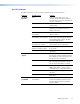
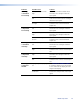




Command/response Table for SIS Commands (continued)
Command ASCII Command
(Host to Unit)
Response
(Unit to Host)
Additional Description
Contrast
Set a specific contrast value
X^
^ Con
X^]
Specify the contrast adjustment.
Increment contrast value
+^
Con
X^]
Increase the contrast setting by one.
Decrement contrast value
–^
Con
X^]
Decrease the contrast setting by one.
View the contrast value
^
Con
X^]
Show the contrast setting.
Horizontal size (window)
Increment the horizontal size
+:
Hsz
X2$]
Widen the picture.
Decrement the horizontal size
–:
Hsz
X2$]
Make the picture narrower.
View the horizontal size
:
Hsz
X2$]
Window width is
X2$
.
Vertical size (window)
Increment the vertical size
+;
Vsz
X2$]
Make the picture taller.
Decrement the vertical size
–;
Vsz
X2$]
Make the picture shorter.
View the vertical size
;
Vsz
X2$]
Window height is
X2$
.
Horizontal shift
Set a specific value
X&
H Hph
X&]
Set the horizontal position to
X&
.
Nudge picture right (+4)
+H
Hph
X&]
Shift the picture right.
Nudge picture left (–4)
–H
Hph
X&]
Shift the picture left.
View the position setting
H
Hph
X&]
Horizontal setting is
X&
.
Vertical shift
Set a specific value
X*
/ Vph
X*]
Set the vertical position to
X*
.
Nudge picture up (+4)
+/
Vph
X*]
Shift the picture up.
Nudge picture down (–4)
–/
Vph
X*]
Shift the picture down.
View the position setting
/
Vph
X*]
Vertical setting is
X*
.
Sharpness
Set a specific detail filter level
X(
D Shp
X(]
Set the detail level.
Increment detail filter value
+D
Shp
X(]
Select the next higher detail level.
Decrement detail filter value
–D
Shp
X(]
Select the nexxt lower detail level.
View the detail lter value
D
Shp
X(]
Detail level is
X(
.
Horizontal start
Set a horizontal start value
X1)
) Hst
X1)]
Set the horizontal location of the first active
pixel.
Example: Shift active video five pixels to the right from the
current position.
Increment horizontal start value
+)
Hst
X1)]
Shift video to the right one pixel.
Decrement horizontal start value
–)
Hst
X1)]
Shift video to the left one pixel.
View the position setting
)
Hst
X1)]
Horizontal starting point is
X1)
.
Vertical start
Set a vertical start value
X1!
( Vst
X1!]
Set the vertical location of the first active pixel.
Example: Shift active video down two lines from the
current position.
Increment vertical start value
+(
Vst
X1!]
Shift video down one line.
Decrement vertical start value
–(
Vst
X1!]
Shift video up one line.
View the position setting
(
Vst
X1!]
Vertical starting point is
X1!
.
NOTE: X^ = Picture adjustment range (000 through 128)
X& = Horizontal shift range (000 through current horizontal output resolution)
X* = Vertical shift range (000 through current vertical output resolution)
X( = Sharpness level (00 through 128)
X1) = Horizontal start position (000 thru 200
X1! = Vertical start position (000 thru {variable})
X2$ = Pixel and line values (the range depends on the input resolution applied and the output resolution selected).
IN1508 • Programming Guide 55