
- Extron Electronics Multi-Graphic Processor User's Manual
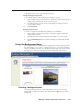

Table Of Contents
- Chapter One
- Introduction
- Chapter Two
- Installation
- Chapter Three
- Operation
- Front Panel Features
- Power-up and Default Cycle
- Window Select Buttons
- Input Selection
- Menus, Configuration, and Adjustments
- Picture Controls
- Auto Memories
- Memory Presets
- Additional Features
- Chapter Four
- Software Configuration and Control
- Chapter Five
- HTML Configuration and Control
- Accessing the Web Pages
- Viewing System Status
- Using the Configuration Page
- Using the File Management Page
- Using the Control Page
- Using the Background Page
- Chapter Six
- Special Applications
- Appendix A
- Specifications, Part Numbers, and Accessories
- Appendix B
- Firmware Update Guide

5-25
MGP 464 • HTML Conguration and Control
PRELIMINARY
Selecting a background image
To select an uploaded image to be displayed as the background on the output
screen,
1. In the Image Index section, click on the thumbnail of the image you want to
display. A larger version of the selected image appears to the right.
2. Click Take to select that image for the output background.