
Managing Faults on Virtual Services Platform 7200 Series and 8000 Series Version 5
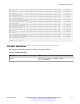

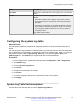
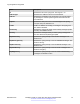
Table Of Contents
- Contents
- Chapter 1: Introduction
- Chapter 2: New in this document
- Chapter 3: Fault management fundamentals
- Chapter 4: Key Health Indicators using ACLI
- Chapter 5: Key Health Indicators using EDM
- Chapter 6: Link state change control using ACLI
- Chapter 7: Link state change control using EDM
- Chapter 8: RMON configuration using ACLI
- Chapter 9: RMON configuration using EDM
- Enabling RMON globally
- Enabling RMON on a port or VLAN
- Viewing the protocol directory
- Viewing the data source for protocol distribution statistics
- Viewing protocol distribution statistics
- Viewing the host interfaces enabled for monitoring
- Viewing address mappings
- Viewing the data source for host statistics
- Viewing network host statistics
- Viewing application host statistics
- Chapter 10: Log and trap fundamentals
- Chapter 11: Log configuration using ACLI
- Chapter 12: Log configuration using EDM
- Chapter 13: SNMP trap configuration using ACLI
- Chapter 14: SNMP trap configuration using EDM
- Glossary

CP1 [02/06/15 22:39:58.530:UTC] 0x00004595 00000000 GlobalRouter SNMP INFO Boot
ed with file
CP1 [02/06/15 22:39:59.547:UTC] 0x00004603 00400003.67108870 DYNAMIC CLEAR Glob
alRouter SNMP INFO 2k card up(CardNum=1 AdminStatus=1 OperStatus=1)
CP1 [02/06/15 22:39:59.547:UTC] 0x00004603 00400003.67108870 DYNAMIC CLEAR Glob
alRouter SNMP INFO 2k card up(CardNum=2 AdminStatus=1 OperStatus=1)
CP1 [02/06/15 22:39:59.547:UTC] 0x00004603 00400003.67108870 DYNAMIC CLEAR Glob
alRouter SNMP INFO 2k card up(CardNum=3 AdminStatus=1 OperStatus=1)
CP1 [02/06/15 22:40:45.839:UTC] 0x000045e5 00400005 DYNAMIC SET GlobalRouter SN
MP INFO Sending Cold-Start Trap
Variable definitions
Use the data in the following table to use the snmplog command.
Table 16: Variable definitions
Variable Value
enable Enables the logging of traps.
Use the command no snmplog enable to disable the
logging of traps.
SNMP trap configuration using ACLI
December 2015 Managing Faults on Avaya VSP 7200 Series and 8000 Series 80
Comments on this document? infodev@avaya.com