
Managing Faults on Virtual Services Platform 7200 Series and 8000 Series Version 5
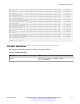

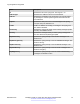
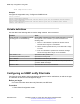
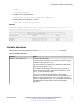
Table Of Contents
- Contents
- Chapter 1: Introduction
- Chapter 2: New in this document
- Chapter 3: Fault management fundamentals
- Chapter 4: Key Health Indicators using ACLI
- Chapter 5: Key Health Indicators using EDM
- Chapter 6: Link state change control using ACLI
- Chapter 7: Link state change control using EDM
- Chapter 8: RMON configuration using ACLI
- Chapter 9: RMON configuration using EDM
- Enabling RMON globally
- Enabling RMON on a port or VLAN
- Viewing the protocol directory
- Viewing the data source for protocol distribution statistics
- Viewing protocol distribution statistics
- Viewing the host interfaces enabled for monitoring
- Viewing address mappings
- Viewing the data source for host statistics
- Viewing network host statistics
- Viewing application host statistics
- Chapter 10: Log and trap fundamentals
- Chapter 11: Log configuration using ACLI
- Chapter 12: Log configuration using EDM
- Chapter 13: SNMP trap configuration using ACLI
- Chapter 14: SNMP trap configuration using EDM
- Glossary

enable
configure terminal
2. Create a new notify filter table:
snmp-server notify-filter WORD<1-32> WORD<1-32>
3. Ensure that the configuration is correct:
show snmp-server notify-filter
Example
Switch(config)# snmp-server notify-filter profile3 99.3.6.1.6.3.1.1.4.1
Switch(config)#show snmp-server notify-filter
================================================================================
Notify Filter Configuration
================================================================================
Profile Name Subtree Mask
--------------------------------------------------------------------------------
profile1 +99.3.6.1.6.3.1.1.4.1 0x7f
profile2 +99.3.6.1.6.3.1.1.4.1 0x7f
profile3 +99.3.6.1.6.3.1.1.4.1 0x7f
Variable definitions
Use the data in the following table to use the snmp-server notify-filter command.
Table 14: Variable definitions
Variable Value
WORD<1-32> WORD<1-32> Creates a notify filter table.
The first instance of WORD<1-32> specifies the name of the filter
profile with a string length of 1–32.
The second instance of WORD<1-32> identifies the filter subtree
OID with a string length of 1–32.
If the subtree OID parameter uses a plus sign (+) prefix (or no
prefix), this indicates include. If the subtree OID uses the minus
sign ( – ) prefix, it indicates exclude.
You do not calculate the mask because it is automatically
calculated. You can use the wildcard character, the asterisk (*), to
specify the mask within the OID. You do not need to specify the
OID in the dotted decimal format; you can alternatively specify that
the MIB parameter names and the OIDs are automatically
calculated.
Configuring an SNMP notify filter table
December 2015 Managing Faults on Avaya VSP 7200 Series and 8000 Series 77
Comments on this document? infodev@avaya.com