
Managing Faults on Virtual Services Platform 7200 Series and 8000 Series Version 5
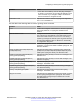
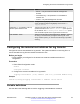
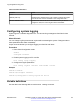
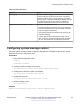
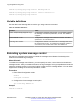
Table Of Contents
- Contents
- Chapter 1: Introduction
- Chapter 2: New in this document
- Chapter 3: Fault management fundamentals
- Chapter 4: Key Health Indicators using ACLI
- Chapter 5: Key Health Indicators using EDM
- Chapter 6: Link state change control using ACLI
- Chapter 7: Link state change control using EDM
- Chapter 8: RMON configuration using ACLI
- Chapter 9: RMON configuration using EDM
- Enabling RMON globally
- Enabling RMON on a port or VLAN
- Viewing the protocol directory
- Viewing the data source for protocol distribution statistics
- Viewing protocol distribution statistics
- Viewing the host interfaces enabled for monitoring
- Viewing address mappings
- Viewing the data source for host statistics
- Viewing network host statistics
- Viewing application host statistics
- Chapter 10: Log and trap fundamentals
- Chapter 11: Log configuration using ACLI
- Chapter 12: Log configuration using EDM
- Chapter 13: SNMP trap configuration using ACLI
- Chapter 14: SNMP trap configuration using EDM
- Glossary

Table 9: Variable definitions
Variable Value
flags logging Enables or disables logging to a file a flash file. The log file
is named using the format log.xxxxxxxx.sss. The first six
characters after the prefix of the file name log contain the
last three bytes of the chassis base MAC address. The next
two characters specify the slot number. The last three
characters denote the sequence number of the log file.
logfile <64-500> <500-16384> <10-90> Configures the logfile parameters
• <64-500> specifies the minimum free memory space on
the external storage device from 64–500 KB. The switch
does not support this parameter.
• <500-16384> specifies the maximum size of the log file
from 500–16384 KB.
• <10-90> specifies the maximum percentage, from 10–
90%, of space on the external storage device the logfile
can use. The switch does not support this parameter.
Configuring system message control
Configure system message control to suppress duplicate error messages on the console, and to
determine the action to take if they occur.
Procedure
1. Enter Global Configuration mode:
enable
configure terminal
2. Configure system message control action:
sys msg-control action <both|send-trap|suppress-msg>
3. Configure the maximum number of messages:
sys msg-control max-msg-num <2-500>
4. Configure the interval:
sys msg-control control-interval <1-30>
5. Enable message control:
sys msg-control
Example
Switch:1(config)# sys msg-control action suppress-msg
Configuring system message control
December 2015 Managing Faults on Avaya VSP 7200 Series and 8000 Series 65
Comments on this document? infodev@avaya.com