
Managing Faults on Avaya Virtual Services Platform 7200 Series and 8000 Series Version 4.2.1

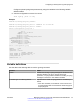
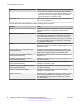
Table Of Contents
- Contents
- Chapter 1: Introduction
- Chapter 2: New in this release
- Chapter 3: Fault management fundamentals
- Chapter 4: Key Health Indicators using ACLI
- Chapter 5: Key Health Indicators using EDM
- Chapter 6: Link state change control using ACLI
- Chapter 7: Link state change control using EDM
- Chapter 8: RMON configuration using ACLI
- Chapter 9: RMON configuration using EDM
- Enabling RMON globally
- Enabling RMON on a port or VLAN
- Enabling RMON1 history
- Disabling RMON1 history
- Viewing RMON1 history statistics
- Creating an RMON1 alarm
- Creating an RMON1 port history alarm
- Viewing RMON1 alarms
- Deleting an RMON1 alarm
- Creating a default RMON1 event
- Creating a nondefault RMON1 event
- Viewing RMON1 events
- Viewing the RMON log
- Deleting an event
- Viewing the protocol directory
- Viewing the data source for protocol distribution statistics
- Viewing protocol distribution statistics
- Viewing the host interfaces enabled for monitoring
- Viewing address mappings
- Viewing the data source for host statistics
- Viewing network host statistics
- Viewing application host statistics
- Chapter 10: Viewing statistics using ACLI
- Chapter 11: Viewing statistics using EDM
- Chapter 12: Log and trap fundamentals
- Chapter 13: Log configuration using ACLI
- Chapter 14: Log configuration using EDM
- Chapter 15: SNMP trap configuration using ACLI
- Chapter 16: SNMP trap configuration using EDM
- Chapter 17: RMON alarm variables
- Glossary

Switch:1# configure terminal
Add a force message control pattern. If you use a wildcard pattern (****), all messages undergo
message control.
Switch:1(config)# sys force-msg ****
Variable definitions
Use the data in the following table to use the sys force-msg command.
Table 16: Variable definitions
Variable Value
WORD<4-4> Adds a forced message control pattern, where WORD<4-4>
is a string of 4 characters. You can add a four-byte pattern
into the force-msg table. The software and the hardware log
messages that use the first four bytes that match one of the
patterns in the force-msg table undergo the configured
message control action. You can specify up to 32 different
patterns in the force-msg table, including a wildcard pattern
(****) as well. If you specify the wildcard pattern, all messages
undergo message control.
Viewing logs
View log files by file name, category, or severity to identify possible problems.
About this task
View ACLI command and SNMP trap logs, which are logged as normal log messages and logged to
the system log file.
Procedure
1. Enter Privileged EXEC mode:
enable
2. Show log information:
show logging file [alarm] [event-code WORD<0–10>] [module WORD<0–
100>] [name-of-file WORD<1-99>] [save-to-file WORD<1-99>] [severity
WORD<0-25>] [tail] [vrf WORD<0–32>]
Example
Display log file information:
Switch:1>enable
Switch:1#configure terminal
Log configuration using ACLI
90 Managing Faults on Avaya VSP 7200 Series and 8000 Series June 2015
Comments on this document? infodev@avaya.com