
Managing Faults on Avaya Virtual Services Platform 7200 Series and 8000 Series Version 4.2.1
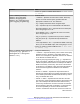
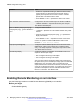
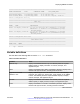
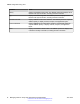
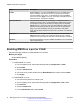
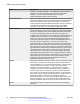
Table Of Contents
- Contents
- Chapter 1: Introduction
- Chapter 2: New in this release
- Chapter 3: Fault management fundamentals
- Chapter 4: Key Health Indicators using ACLI
- Chapter 5: Key Health Indicators using EDM
- Chapter 6: Link state change control using ACLI
- Chapter 7: Link state change control using EDM
- Chapter 8: RMON configuration using ACLI
- Chapter 9: RMON configuration using EDM
- Enabling RMON globally
- Enabling RMON on a port or VLAN
- Enabling RMON1 history
- Disabling RMON1 history
- Viewing RMON1 history statistics
- Creating an RMON1 alarm
- Creating an RMON1 port history alarm
- Viewing RMON1 alarms
- Deleting an RMON1 alarm
- Creating a default RMON1 event
- Creating a nondefault RMON1 event
- Viewing RMON1 events
- Viewing the RMON log
- Deleting an event
- Viewing the protocol directory
- Viewing the data source for protocol distribution statistics
- Viewing protocol distribution statistics
- Viewing the host interfaces enabled for monitoring
- Viewing address mappings
- Viewing the data source for host statistics
- Viewing network host statistics
- Viewing application host statistics
- Chapter 10: Viewing statistics using ACLI
- Chapter 11: Viewing statistics using EDM
- Chapter 12: Log and trap fundamentals
- Chapter 13: Log configuration using ACLI
- Chapter 14: Log configuration using EDM
- Chapter 15: SNMP trap configuration using ACLI
- Chapter 16: SNMP trap configuration using EDM
- Chapter 17: RMON alarm variables
- Glossary

Name Description
interface 1, the object is ifIndex 1. The statistics in this group reflect all
packets on the local network segment attached to the identified
interface. You cannot modify this object if the associated
historyControlStatus object is equal to valid(1).
BucketsRequested Specifies the requested number of discrete time intervals over which the
system save data in the part of the media-specific table associated with
this historyControlEntry. After this object is created or modified, the
probe configures historyControlBucketsGranted as closely to this object
as possible for the particular probe implementation and available
resources. Values range from 1–65535. The default value is 50.
BucketsGranted Specifies the number of discrete sampling intervals over which the
system save data in the part of the media-specific table associated with
this historyControlEntry. After the associated BucketsRequested object
is created or modified, the probe sets this object as closely to the
requested value as possible for the particular probe implementation and
available resources. The probe must not lower this value except as a
result of a modification to the associated BucketsRequested object.
Occasionally, the actual number of buckets associated with this entry is
less than the value of this object. In this case, at the end of each
sampling interval, the system adds a new bucket to the media-specific
table. After the number of buckets reaches the value of this object and
the system is going to add a new bucket to the media-specific table, the
agent deletes the oldest bucket associated with this entry so the system
can added the new bucket. After the value of this object changes to a
value less than the current value, entries are deleted from the media-
specific table associated with this entry. The agent deletes the oldest of
these entries so that their number remains less than or equal to the new
value of this object. After the value of this object changes to a value
greater than the current value, the system allows the number of
associated media-specific entries to grow.
Interval Specifies the interval in seconds over which the system samples data for
each bucket in the part of the media-specific table associated with this
historyControlEntry. You can set this interval between 1–3600 seconds
(1 hour). Because the counters in a bucket can overflow at their
maximum value with no indication, you must take into account the
possibility of overflow in all of the associated counters. Consider the
minimum time in which a counter can overflow on a particular media
type, and then set the historyControlInterval object to a value less than
this interval, which is typically most important for the octets counter in a
media-specific table. For example, on an Ethernet network, the
etherHistoryOctets counter can overflow in approximately 1 hour at the
maximum utilization. You cannot modify this object if the associated
historyControlStatus object is equal to valid. The default value is 1800.
Owner Specifies the entity that configured this entry and uses the assigned
resources.
RMON configuration using EDM
50 Managing Faults on Avaya VSP 7200 Series and 8000 Series June 2015
Comments on this document? infodev@avaya.com