
Managing Faults on Avaya Virtual Services Platform 7200 Series and 8000 Series Version 4.2.1
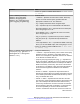
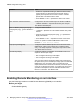
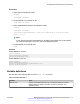
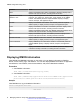
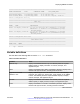
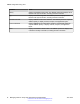
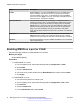
Table Of Contents
- Contents
- Chapter 1: Introduction
- Chapter 2: New in this release
- Chapter 3: Fault management fundamentals
- Chapter 4: Key Health Indicators using ACLI
- Chapter 5: Key Health Indicators using EDM
- Chapter 6: Link state change control using ACLI
- Chapter 7: Link state change control using EDM
- Chapter 8: RMON configuration using ACLI
- Chapter 9: RMON configuration using EDM
- Enabling RMON globally
- Enabling RMON on a port or VLAN
- Enabling RMON1 history
- Disabling RMON1 history
- Viewing RMON1 history statistics
- Creating an RMON1 alarm
- Creating an RMON1 port history alarm
- Viewing RMON1 alarms
- Deleting an RMON1 alarm
- Creating a default RMON1 event
- Creating a nondefault RMON1 event
- Viewing RMON1 events
- Viewing the RMON log
- Deleting an event
- Viewing the protocol directory
- Viewing the data source for protocol distribution statistics
- Viewing protocol distribution statistics
- Viewing the host interfaces enabled for monitoring
- Viewing address mappings
- Viewing the data source for host statistics
- Viewing network host statistics
- Viewing application host statistics
- Chapter 10: Viewing statistics using ACLI
- Chapter 11: Viewing statistics using EDM
- Chapter 12: Log and trap fundamentals
- Chapter 13: Log configuration using ACLI
- Chapter 14: Log configuration using EDM
- Chapter 15: SNMP trap configuration using ACLI
- Chapter 16: SNMP trap configuration using EDM
- Chapter 17: RMON alarm variables
- Glossary

Variable Value
overflow on a particular media type, and then set the history
control interval to a value less than this interval, which is
typically most important for the octets counter in a media-
specific table. The default value is 1800.
• owner WORD<1–127>— Specifies the name of the owner.
rmon memsize <250000–4000000> Configures the amount of RAM in bytes to allocate for RMON.
• <250000–4000000>— Specifies the memory size in bytes.
The default is 250 Kilobytes.
stats <1-65535> {slot/port [/sub-port][-
slot/port[/sub-port][,...]} owner WORD<1–
127>
Configures RMON statistics.
• <1-65535>— Specifies the control Ether statistics entry index
number.
• {slot/port [/sub-port][-slot/port[/sub-port][,...]}— Specifies the
single port interface.
• owner WORD<1–127> — Specifies the name of the owner.
Use the no operator to delete a RMON Ether stats control
interface: no rmon stats[<1-65535>]
trap-option [toOwner][toAll] Configures whether RMON traps are sent to the owner of the
RMON alarm, which is the manager who created the alarm
entry, or to all trap recipients in the system trap receiver table.
The default value is toOwner.
util-method [half|full] Configures whether port utilization is calculated in half or full
duplex to calculate port usage.
• half—Configures the string to half duplex.
• full—Configures the string to full duplex.
After you select half for half duplex, RMON uses InOctets and
the speed of the port to calculate port usage (this is the standard
RMON RFC 1271 convention). After you select full for full
duplex, RMON uses InOctets and OutOctets, and 2X the speed
of the port to calculate port usage. If you select full, but the port
operates in half-duplex mode, the calculation defaults to the
RFC1271 convention. The default is half.
Enabling Remote Monitoring on an interface
Use the following procedure to enable Remote Monitoring (RMON) on an interface.
Before you begin
• Enable RMON globally.
RMON configuration using ACLI
42 Managing Faults on Avaya VSP 7200 Series and 8000 Series June 2015
Comments on this document? infodev@avaya.com