
Installation Instructions


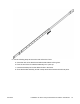


Table Of Contents

b. Orient the supporting plate over the holes in the rack rail.
c. Install the first two screws on one end.
d. Lift the locking mechanism and slowly slide the rail back into the main assembly. This
exposes a “window” over the screw holes so you can install the remaining three screws
one at a time.
7. Insert the long rack rail bracket into the supporting plate.
June 2015 Installation Job Aid for Avaya Virtual Services Platform 7200 Series 27