
Installation Instructions


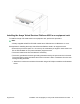



Table Of Contents
- Installation Job Aid (English) for Avaya VSP 4000 4450GTX-HT-PWR+
- How to get help
- Notices
- Safety messages
- Location restrictions
- Before you begin
- Installing the VSP 4000 4450GTX-HT-PWR+
- Installing the Avaya Virtual Services Platform 4000 on a table or shelf
- Installing the Avaya Virtual Services Platform 4000 in an equipment rack
- Installing SFP transceivers
- Removing SFP transceivers
- Power specifications for Avaya VSP 4000 switch 4450GTX-HT-PWR+
- Avaya Virtual Services Platform power supply power specification
- Installing the Avaya VSP 4000 4450GTX-HT-PWR+ power supply
- Connecting to AC power

Warning:
Warning notices provide information about how to avoid personal injury when working with
Avaya products.
Voltage:
Danger — High Voltage notices provide information about how to avoid a situation or condition
that can cause serious personal injury or death from high voltage or electric shock.
Danger:
Danger notices provide information about how to avoid a situation or condition that can cause
serious personal injury or death.
Safety messages
Warning:
Installation must be performed by qualified service personnel only. Read and follow all warning
notices and instructions marked on the product or included in the documentation.
Voltage:
This equipment relies on the building's installation for overcurrent protection. Ensure that a fuse
or circuit breaker no larger than 120 VAC, 15 A U.S. (240 VAC, 16 A International) is used on
the phase conductors.
Caution:
This device is a Class A product. In a domestic environment, this device can cause radio
interference, in which case the user may be required to take appropriate measures.
Caution:
When mounting this device in a rack, do not stack units directly on top of one another in the
rack. Each unit must be secured to the rack with appropriate mounting brackets. Mounting
brackets are not designed to support multiple units.
Voltage:
Use only power cords that have a grounding path. Without a proper ground, a person who
touches the switch is in danger of receiving an electrical shock. Lack of a grounding path to the
switch can result in excessive emissions.
Warning:
Disconnecting the power cord is the only way to turn off power to this device. Always connect
the power cord in a location that can be reached quickly and safely in case of an emergency.
August 2014 Installation Job Aid (English) for Avaya VSP 4000 4450GTX-HT-PWR+ 2