
Installation Instructions


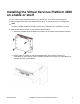


Table Of Contents
- Notices
- Safety messages
- Before you begin
- Installing the VSP 4450GTX-HT-PWR+
- Installing the Virtual Services Platform 4000 on a table or shelf
- Installing the Virtual Services Platform 4000 in an equipment rack
- Installing SFP transceivers
- Removing SFP transceivers
- Power specifications for VSP 4450GTX-HT-PWR+
- Virtual Services Platform power supply power specification
- Installing the VSP 4450GTX-HT-PWR+ power supply
- Connecting to AC power

Installing the Virtual Services Platform 4000
on a table or shelf
You can install a single VSP 4000 switch on any flat surface. The surface must support the
combined weight of the switch and attached cables (from 15 and 20 pounds [7 to 9 kilograms]).
Note:
A factory-supplied 4450GTX-HT-PWR+ switch has a USB slot but no USB device or cover.
To install a VSP 4000 on a table or shelf, perform this procedure.
1. Attach the included rubber footpads on the bottom of the switch at the locations indicated.
2. Set the switch on a table or shelf as illustrated below. Allow at least 2 inches (5.1
centimeters) on each side for proper ventilation and at least 5 inches (12.7 centimeters) at
the back for power cord clearance.
November 2017 Installation Job Aid for VSP 4450GTX-HT-PWR+ 4