
Installation Instructions


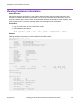


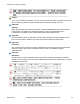
Table Of Contents
- Contents
- Chapter 1: Preface
- Chapter 2: New in this document
- Chapter 3: Hardware models
- Chapter 4: Preinstallation checklist
- Chapter 5: Installing the VSP 4450GTX-HT-PWR+
- Installation checklist
- Installation fundamentals
- Electrostatic discharge
- Technical specifications
- Environmental requirements
- Airflow direction
- Package contents
- Installing the Virtual Services Platform 4000 on a table or shelf
- Installing the Virtual Services Platform 4000 in an equipment rack
- Cable requirements for the Virtual Services Platform 4000
- Installation and removal of Small Form Factor Pluggable (SFP) transceivers
- RJ45 connector pin assignments
- Console port pin assignments
- Installing the Virtual Services Platform 4000 power supply
- Connect AC power
- LED state definitions
- Viewing hardware information
- Chapter 6: Translations of safety messages

Fan Info :
Description OperStatus OperSpeed AirflowDir
Tray 1 Fan 1 up mediumSpeed left-right
Tray 1 Fan 2 up mediumSpeed left-right
Tray 1 Fan 3 up mediumSpeed left-right
Tray 1 Fan 4 up mediumSpeed left-right
Tray 1 Fan 5 up mediumSpeed left-right
LED Info :
LED#1 Label : PWR
LED#1 Status : GreenSteady
LED#2 Label : Status
LED#2 Status : GreenSteady
LED#3 Label : Rps
LED#3 Status : Off
LED#4 Label : Up
LED#4 Status : UnSupported
LED#5 Label : Down
LED#5 Status : UnSupported
LED#6 Label : Base
LED#6 Status : UnSupported
System Error Info :
Send Login Success Trap : false
Send Authentication Trap : false
Error Code : 0
Error Severity : 0
Port Lock Info :
Status : off
LockedPorts :
Message Control Info :
Action : suppress-msg
Control-Interval : 5
Max-msg-num : 5
Status : disable
Configuration Operation Info Since Boot Up:
Last Change: 0 day(s), 00:02:22
Last Vlan Change: 0 day(s), 00:02:22
Last Statistic Reset: 0 day(s), 00:00:00
Current Uboot Info :
----------------------------------------------------------------------------------------------------
VU-Boot 2012.04-00002-g6fb1c26 (Apr 26 2017 - 13:37:44) bld=17042617
Variable definitions
Use data in the following table to use the show sys-info command.
Variable Value
card Displays information about the device. Includes type, serial
number, and assembly date.
Table continues…
Viewing hardware information
August 2018 Installing the Virtual Services Platform 4450GTX-HT-PWR+ 37