
Installation Instructions


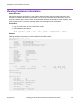


Table Of Contents
- Contents
- Chapter 1: Preface
- Chapter 2: New in this document
- Chapter 3: Hardware models
- Chapter 4: Preinstallation checklist
- Chapter 5: Installing the VSP 4450GTX-HT-PWR+
- Installation checklist
- Installation fundamentals
- Electrostatic discharge
- Technical specifications
- Environmental requirements
- Airflow direction
- Package contents
- Installing the Virtual Services Platform 4000 on a table or shelf
- Installing the Virtual Services Platform 4000 in an equipment rack
- Cable requirements for the Virtual Services Platform 4000
- Installation and removal of Small Form Factor Pluggable (SFP) transceivers
- RJ45 connector pin assignments
- Console port pin assignments
- Installing the Virtual Services Platform 4000 power supply
- Connect AC power
- LED state definitions
- Viewing hardware information
- Chapter 6: Translations of safety messages

Viewing hardware information
About this task
Perform the following procedure to view system status and technical information about the VSP
4450GTX-HT-PWR+ hardware components. You can view information about the switch (such as
location), chassis (type, serial number, and base MAC address), temperature, power supplies, fans,
cards, system errors, port locks, topology status, and message control information.
Procedure
1. Log on to the switch to enter User EXEC mode.
2. View hardware information:
show sys-info [card | fan | led | power | temperature | uboot]
Example
Viewing hardware information on VSP 4450GTX-HT-PWR+ switch:
VSP-4450GTXHT-PWR+:1>show sys-info
General Info :
SysDescr : VSP-4450GTXHT-PWR+ (w.x.y.z)
SysName : VSP-4450GTXHT-PWR+
SysUpTime : 0 day(s), 00:05:40
SysContact : http://www.extremenetworks.com/contact/
SysLocation : 9 Northeastern Blvd,Salem,NH. 03079
Chassis Info:
Chassis : 4450GTXHT-PWR+
ModelName : 4450GTXHT-PWR+
BrandName : Extreme Networks.
Serial# : SDNIVSP4450B020
H/W Revision : R0B
H/W Config : none
Part Number :
NumSlots : 1
NumPorts : 50
BaseMacAddr : b0:ad:aa:55:1b:00
MacAddrCapacity : 256
System MTU : 1950
Card Info :
Slot# CardType Serial# Part# Oper Admin Power
Status Status State
1 4450GTXHT-PWR+ SDNIVSP4450B020 -- up up on
Temperature Info :
Chassis Temperature
32
Power Supply Info :
Ps#1 Status : UP
Ps#1 Type : AC
Ps#1 Description : AC-DC-54V-1000W
Ps#1 Serial Number: LBNNTMPL83000H
Ps#1 Version : --
Ps#1 Part Number : 700508300
Ps#2 Status : empty
Total Power Available : 1000 watts
Total Power Usage : 145 watts
Installing the VSP 4450GTX-HT-PWR+
August 2018 Installing the Virtual Services Platform 4450GTX-HT-PWR+ 36