
Installation Instructions


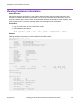

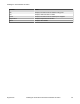

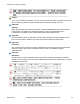
Table Of Contents
- Contents
- Chapter 1: Preface
- Chapter 2: New in this document
- Chapter 3: Hardware models
- Chapter 4: Preinstallation checklist
- Chapter 5: Installing the VSP 4450GTX-HT-PWR+
- Installation checklist
- Installation fundamentals
- Electrostatic discharge
- Technical specifications
- Environmental requirements
- Airflow direction
- Package contents
- Installing the Virtual Services Platform 4000 on a table or shelf
- Installing the Virtual Services Platform 4000 in an equipment rack
- Cable requirements for the Virtual Services Platform 4000
- Installation and removal of Small Form Factor Pluggable (SFP) transceivers
- RJ45 connector pin assignments
- Console port pin assignments
- Installing the Virtual Services Platform 4000 power supply
- Connect AC power
- LED state definitions
- Viewing hardware information
- Chapter 6: Translations of safety messages

Front panel LEDs
The following diagram illustrates the components on the front panels of the VSP 4450GTX-HT-PWR
+ switch.
For detailed explanations of the states indicated by each front panel LED type, see the following
sections:
•
Switch LED state indicators on page 33
• Port LED state indicators on page 34
Figure 6: VSP 4450GTX-HT-PWR+
1. USB 2.0 port
2. Switch LEDs
3. 10/100/1000 Mbps RJ45 ports with PoE+ (LEDs above ports)
4. 100/1000 Mbps Combo SFP slots. Supports 1 Gbps SFPs and 100 Mbps low speed SFPs
5. 1/10 Gbps SFP+ ports
6. Console Port
Warning:
Fiber optic equipment can emit laser or infrared light that can injure your eyes. Never look into
an optical fiber or connector port. Always assume that fiber-optic cables are connected to a light
source. For a translation of this statement, see
Translations of safety messages on page 39.
Switch LED state indicators
The following figure describes the main switch LED state indications provided by LED color and
fluctuation cues.
Note:
Indicator states are applicable to all models of VSP 4000 switches.
Table 15: Switch LED state indicators
Label Color and Status Description
PWR Green (solid) The switch is receiving power either from the primary or
secondary power supply. Normal operation.
Table continues…
LED state definitions
August 2018 Installing the Virtual Services Platform 4450GTX-HT-PWR+ 33