
Installation Instructions




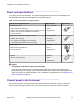
Table Of Contents
- Contents
- Chapter 1: Preface
- Chapter 2: New in this document
- Chapter 3: Hardware models
- Chapter 4: Preinstallation checklist
- Chapter 5: Installing the VSP 4450GTX-HT-PWR+
- Installation checklist
- Installation fundamentals
- Electrostatic discharge
- Technical specifications
- Environmental requirements
- Airflow direction
- Package contents
- Installing the Virtual Services Platform 4000 on a table or shelf
- Installing the Virtual Services Platform 4000 in an equipment rack
- Cable requirements for the Virtual Services Platform 4000
- Installation and removal of Small Form Factor Pluggable (SFP) transceivers
- RJ45 connector pin assignments
- Console port pin assignments
- Installing the Virtual Services Platform 4000 power supply
- Connect AC power
- LED state definitions
- Viewing hardware information
- Chapter 6: Translations of safety messages

1000W AC power supply
VSP 4450GTX-HT-PWR+ supports dual 54V 1000W Power over Ethernet Plus (PoE+) AC power
supplies.
Important:
Ensure that you use only 1000W power supplies (both primary and secondary) on VSP
4450GTX-HT-PWR+ models.
Figure 3: 1000W AC power supply
Connector
The 1000W AC power supply uses an IEC 60320 C16 AC power cord connector. The AC power
cord is in close proximity to the hot air exhaust, and supports high operating temperatures.
Figure 4: IEC 60320 C16 connector
Power over Ethernet Plus specifications
Table 10: VSP 4450GTX-HT-PWR+ model
0°C to 50°C
50°C to 70°C
1 PSU 860W 400W
2 PSU 1660W 832W
Installing the VSP 4450GTX-HT-PWR+
August 2018 Installing the Virtual Services Platform 4450GTX-HT-PWR+ 28