
Design Reference


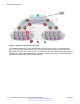
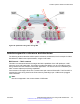


Table Of Contents
- Contents
- Chapter 1: Introduction
- Chapter 2: New in this release
- Chapter 3: Network design fundamentals
- Chapter 4: Hardware fundamentals and guidelines
- Chapter 5: Optical routing design
- Chapter 6: Platform redundancy
- Chapter 7: Link redundancy
- Chapter 8: Layer 2 loop prevention
- Chapter 9: Layer 2 switch clustering and SMLT
- Chapter 10: Layer 3 switch clustering and RSMLT
- Chapter 11: Layer 3 switch clustering and multicast SMLT
- Chapter 12: Spanning tree
- Chapter 13: Layer 3 network design
- Chapter 14: SPBM design guidelines
- Chapter 15: IP multicast network design
- Multicast and VRF-Lite
- Multicast and MultiLink Trunking considerations
- Multicast scalability design rules
- IP multicast address range restrictions
- Multicast MAC address mapping considerations
- Dynamic multicast configuration changes
- IGMPv3 backward compatibility
- IGMP Layer 2 Querier
- TTL in IP multicast packets
- Multicast MAC filtering
- Guidelines for multicast access policies
- Split-subnet and multicast
- Protocol Independent Multicast-Sparse Mode guidelines
- Protocol Independent Multicast-Source Specific Multicast guidelines
- Multicast for multimedia
- Chapter 16: System and network stability and security
- Chapter 17: QoS design guidelines
- Chapter 18: Layer 1, 2, and 3 design examples
- Glossary

Figure 63: Metro ring access solution
The following list outlines the benefits of the Metro-Ethernet Provider solution:
• Easy endpoint provisioning
• Optimal resiliency
• Secure tenant separation
Best practices
This section provides best practices to configure an SPBM network.
IS-IS
The following list identifies best practices for IS-IS:
• Avaya recommends that you change the IS-IS system ID from the default B-MAC value to a
recognizable address to easily identify a switch. This change helps to recognize source and
destination addresses for troubleshooting purposes.
- If you leave the system ID as the default value (safe practice as it ensures no duplication in
the network), it can be difficult to recognize the source and destination B-MAC for
troubleshooting purposes.
- If you do manually change the system ID, take the necessary steps to ensure no duplication
exists in the network.
• Create two B-VLANs to allow load distribution over both B-VLANs. This configuration is
required if you use SMLT. Even if you do not use SMLT in the network, this is still good
SPBM design guidelines
120 Network Design Reference for Avaya VSP 4000 Series June 2015
Comments on this document? infodev@avaya.com