
Installation Instructions


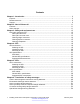


Table Of Contents
- Contents
- Chapter 1: Introduction
- Chapter 2: New in Release 4.1
- Chapter 3: Safety and equipment care
- Chapter 4: SFP
- SFP transceivers
- SFP specifications
- SFP labels
- General SFP specifications
- Supported SFP transceivers
- 1000BASE-T SFP specifications
- 1000BASE-SX DDI SFP specifications
- 1000BASE-LX DDI SFP specifications
- 1000BASE-XD DDI 1310 nm SFP specifications
- 1000BASE-XD DDI 1550 nm SFP specifications
- 1000BASE-ZX DDI 1550 nm SFP specifications
- 1000BASE-XD DDI CWDM (40 km) SFP specifications
- 1000BASE-ZX DDI CWDM 70 km SFP specifications
- 1000BASE-BX bidirectional SFP transceivers
- 1000BASE-EX DDI SFP specifications
- 100BASE-FX SFP specifications
- Chapter 5: SFP+
- SFP+ transceivers
- SFP+ specifications
- SFP+ labels
- General SFP+ specifications
- Supported SFP+ transceivers
- 10GBASE-LR/LW SFP+ specifications
- 10GBASE-LR/LW SFP+ high temperature (-5 °C to +85 °C) specifications
- 10GBASE-ER/EW SFP+ specifications
- 10GBASE-SR/SW SFP+ specifications
- 10GBASE-SR/SW SFP+ high temperature (0 °C to +85 °C) specifications
- 10GBASE-ZR/ZW SFP+ specifications
- 10GBASE-LRM SFP+ specifications
- 10GBASE-CX specifications
- 10GBASE-ER CWDM SFP+ specifications
- Chapter 6: Translations of safety messages
- Class A electromagnetic interference warning statement
- Electrostatic discharge caution statement
- Laser eye safety danger statement
- Laser eye safety connector inspection danger statement
- Connector cleaning safety danger statement
- Optical fiber damage warning statement
- Optical fiber connector damage warning statement
- SFP damage warning statement
- Appendix A: Port numbering
- Glossary

Procedure
• To find videos on the Avaya Support website, go to
http://support.avaya.com and perform one
of the following actions:
- In Search, type Avaya Mentor Videos to see a list of the available videos.
- In Search, type the product name. On the Search Results page, select Video in the
Content Type column on the left.
• To find the Avaya Mentor videos on YouTube, go to
www.youtube.com/AvayaMentor and
perform one of the following actions:
- Enter a key word or key words in the Search Channel to search for a specific product or
topic.
- Scroll down Playlists, and click the name of a topic to see the available list of videos posted
on the website.
Note:
Videos are not available for all products.
Subscribing to e-notifications
Subscribe to e-notifications to receive an email notification when documents are added to or
changed on the Avaya Support website.
About this task
You can subscribe to different types of general notifications, for example, Product Correction
Notices (PCN), which apply to any product or a specific product. You can also subscribe to specific
types of documentation for a specific product, for example, Application & Technical Notes for
Ethernet Routing Switch 8800.
Procedure
1. In an Internet browser, go to
https://support.avaya.com.
2. Type your username and password, and then click Login.
3. Click MY PROFILE.
4. On the site toolbar, click your name, and then click E Notifications.
Related resources
February 2015 Installing Transceivers and Optical components on Avaya VSP 4000 7
Comments? infodev@avaya.com