
Design Reference
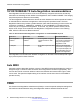




Table Of Contents
- Contents
- Chapter 1: Introduction
- Chapter 2: New in Release 4.0.50
- Chapter 3: New in Release 4.0.40
- Chapter 4: New in Release 4.0
- Chapter 5: Network design fundamentals
- Chapter 6: Hardware fundamentals and guidelines
- Chapter 7: Optical routing design
- Chapter 8: Platform redundancy
- Chapter 9: Link redundancy
- Chapter 10: Layer 2 loop prevention
- Chapter 11: Spanning tree
- Chapter 12: Layer 3 network design
- Chapter 13: SPBM design guidelines
- Chapter 14: IP multicast network design
- Multicast and VRF-Lite
- Multicast and MultiLink Trunking considerations
- Multicast scalability design rules
- IP multicast address range restrictions
- Multicast MAC address mapping considerations
- Dynamic multicast configuration changes
- IGMPv3 backward compatibility
- IGMP Layer 2 Querier
- TTL in IP multicast packets
- Multicast MAC filtering
- Guidelines for multicast access policies
- Multicast for multimedia
- Chapter 15: System and network stability and security
- Chapter 16: QoS design guidelines
- Chapter 17: Layer 1, 2, and 3 design examples
- Chapter 18: Software scaling capabilities
- Chapter 19: Supported standards, RFCs, and MIBs
- Glossary

Figure 6: 1000BASE-X RFI
End-to-end fault detection and VLACP
Because remote fault indication (RFI) terminates at the next Ethernet hop, the device that uses only
RFI cannot determine failures on an end-to-end basis over multiple hops.
However, you can use Virtual Link Aggregation Control Protocol (VLACP) to provide an end-to-end
failure detection mechanism. You can configure VLACP on a port and enable it over single links or
multilink trunks (MLT).
You can use VLACP with MLT to enhance its capabilities and provide quick failure detection. With
VLACP, the device can detect far-end failures, which permits MLT to fail over properly when end-to-
end connectivity is not guaranteed for some links in an aggregation group.
Physical layer redundancy
December 2014 Network Design Reference for Avaya VSP 4000 Series 39
Comments? infodev@avaya.com