
User guide





60 ExtremeWarePx1 1.2 Command Reference Guide
Commands for Managing the Switch
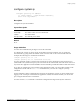
disable self-audit
disable self-audit
Description
Disables the internal self-audit.
Syntax Description
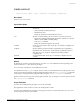
This command has no parameters or options.
Default
Internal self-audit is enabled by default.
Usage Guidelines
You must have administrator privileges to issue this command.
Internal self-audit is the internal hardware-check mechanism. To see whether internal self-audit is
enabled, use the show self-audit command.
You must use the build command to commit the conÞguration changes made by this command.
Example
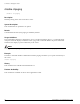
The following command disables internal self-audit:
disable self-audit
History
This command was available in ExtremeWarePx 1.1.
Platform Availability
This command is available on the Px-series application switch.