
User guide





58 ExtremeWarePx1 1.2 Command Reference Guide
Commands for Managing the Switch
disable log display
disable log display
Description
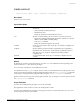
Disables display of log message to the console.
Syntax Description
This command has no parameters or options.
Default
Display of log messages is disabled by default.
Usage Guidelines
You must have administrator privileges to issue this command.
Although log messages are not displayed, they are still recorded in the internal log of the application
switch.
You must use the build command to commit the conÞguration changes made by this command.
Example
This example disables the display log messages to the console.
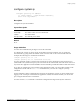
SummitPx1::12 # disable log display
* SummitPx1::13 # build
History
This command was available in ExtremeWarePx 1.1.
Platform Availability
This command is available on the Px-series application switch.