
User guide





56 ExtremeWarePx1 1.2 Command Reference Guide
Commands for Managing the Switch
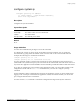
disable clipaging
disable clipaging
Description
Disables pausing at the end of each show screen.
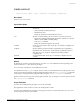
Syntax Description
This command has no parameters or options.
Default
Command-line interface (CLI) paging is enabled by default.
Usage Guidelines
The command-line interface is designed for use in a VT100 environment. Most show command output
will pause when the display reaches the end of a page. This command disables the pause mechanism
and allows the display to print continuously to the screen.
NOTE
Press [q] and then press [Return] to force a pause when
command-line interface
paging is disabled.
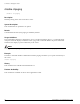
Example
The follow command disables command-line interface paging and allows you to print continuously to
the screen:
disable clipaging
History
This command was available in ExtremeWarePx 1.1.
Platform Availability
This command is available on the Px-series application switch.