
User guide





54 ExtremeWarePx1 1.2 Command Reference Guide
Commands for Managing the Switch
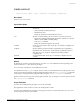
If you do not specify the password on the command line, the switch will prompt you to enter the
password, and will then prompt you to reenter the password to verify that you have entered it correctly.
Your keystrokes are not echoed as you enter and reenter the new password. Assuming you enter the
same password in response to both prompts, the password is changed.
You must use the build command to commit the conÞguration changes made by this command.
Example
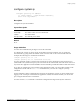
The following command creates a new account named John2 with administrator privileges:
create account admin "john2"
The conÞguration Þle can contain the following command:
create account admin "chuck" encrypted "eo2JTd$WKJ2FUOwZzRhCbjFxn2U3/"
History
This command was available in ExtremeWarePx 1.1.
Platform Availability
This command is available on the Px-series application switch.