
User's Guide



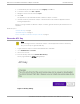
Table Of Contents

5. To install directly from the Docker hub, select Registry, then OK. Or,
6. To install a local file, select File > Upload.
7. Navigate to the Docker file and select Open.
8. Select OK.
The application is uploaded and installed on Extreme Campus Controller.
9. Generate an API key on Extreme Campus Controller and associate it with the application before
running the application.
Before accessing Scheduler for Extreme Campus Controller, generate an API key file in ExtremeCloud
Appliance.
Related Topics
Generate API Key on page 9
Upload API Key File on page 10
Access Scheduler for Extreme Campus Controller on page 10
Generate API Key
Note
When running more than one Extreme Campus Controller application that uses an API key
file, you need only one generated API key.
1. Log into Extreme Campus Controller with administrator credentials.
2. Go to Administration > Accounts.
3. Select a user account.
4. From the API Keys field, select Generate New API Key.
The key is generated. The API Key dialog displays.
Figure 1: API Key dialog
Welcome to Scheduler for Extreme Campus Controller
Generate API Key
Scheduler for Extreme Campus Controller User Guide for version 1.2.0 9