
User's Guide
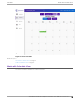
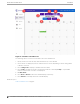

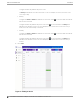

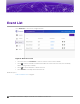


Table Of Contents

Logs
The Logs screen provides information about executed events and their outcome.
Figure 7: Logs screen
The following information is provided for each event on the Logs screen:
Status
Event status. Valid values are:
• Green — Successfully running.
• Yellow — Trouble in execution. Configuration necessary.
• Red — Failed. Not running.
Event
Name of the event. Events are limited to enabling and disabling a network SSID. Provide a
descriptive event name. You can sort alphabetically by Event Name.
Type
Event type. Events are limited to enabling and disabling a network SSID. Valid values are:
• Network Start
Scheduler for Extreme Campus Controller User Guide for version 1.2.0
21