
User's Manual



16
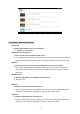
A: Touch the “Explorer” icon on the apps page, will be shown in above picture.
B: Select the file or folder you want to do action as below, touch and hold the file about 2 seconds,
Pop-up menu will display different options File operation as Delete File, Rename File, Copy File,
Move File, Email File and send by Bluetooth and Property etc.
C; Touch the “Copy ” and touch “ ” skip to main directory.select “Internal Memory,SD
card and USB storage ; Then touch “ ”.will be shown in above picture.