
User manual




4141
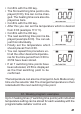
• Conrm with the OK key.
• The rst switching time point is dis-
played (0:00), this can not be chan-
ged. The heating times are also dis-
played as bars.
• Conrm with the OK key.
• After this you can set the temperature which is desired
from 0:00 (example 17.0 °C).
• Conrm with the OK key.
• The next switching time point is dis-
played (example 6:00). You can ad-
just this individually.
• Finally set the temperature which
should prevail from 6:00.
• You can repeat this procedure un-
til all the other desired temperatu-
res for the time period from 0:00 to
23:59 have been stored.
• If all 7 switching time points have
been allocated, 23:59 is displayed
as the nal switching point to be
conrmed.
The temperature can also be changed in Auto Mode at any
time via the selector dial.The changed temperature is then
retaineduntil the next switching time point.
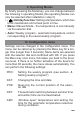
8.1. Weekly program: examples
Up to 3 heating times (7 switching time points) with individual
temperature setting can be stored for each weekday with the
programmable radiator control unit.