
Operation Manual






Appendix
Introduction of Network Software
e following describes the soware that congures and manages devices.
Epson Device Admin
Epson Device Admin is an application that allows you to install devices on the network, and then congure and
manage the devices. You can acquire detailed information for devices such as status and consumables, send
notications
of alerts, and create reports for device usage. You can also make a template containing setting items
and apply it to other devices as shared settings. You can download Epson Device Admin from Epson support
website. For more information, see the documentation or help of Epson Device Admin.
Running Epson Device Admin (Windows only)
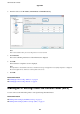
Select All Programs > EPSON > Epson Device Admin > Epson Device Admin.
Note:
If the rewall alert appears, allow access for Epson Device Admin.
EpsonNet Cong
EpsonNet Cong allows the administrator to congure the printer's network settings, such as assigning an IP
address and changing the connection mode.
e
batch setting feature is supported on Windows. For more
information, see the documentation or help of EpsonNet Cong.
Administrator's Guide
Appendix
73