
Operation Manual

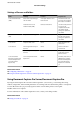



e features available on the Internet are as follows.
Email Print Epson iPrint remote print Scan to Cloud Remote Print Driver
✓✓✓✓
See the Epson Connect portal website for details.
https://www.epsonconnect.com/
http://www.epsonconnect.eu (Europe only)
Using Epson Open Platform
Epson Open Platform Overview
Epson Open Platform is a platform to use Epson printers with the function provided by the server of the
authentication system.
You can acquire the logs of each device and user in cooperation with the server, and congure restrictions on the
device and functions that can be used for each user and group. It can be used with Epson Print Admin (Epson
Authentication System) or a third-party authentication system.
If you connect an authentication device, you can also perform user authentication using the ID card.
Conguring
Epson Open Platform
Enable Epson Open Platform so that you can use the device from the authentication system.
1.
Access Web Cong and then select the Epson Open Platform tab > Product key.
2. Enter a value for each item.
❏ Serial Number
e
serial number of the device is displayed.
❏ Epson Open Platform Version
Select the version of Epson Open Platform. e corresponding version varies depending on the
authentication system.
❏ Enter product key
Enter the product key obtained from the dedicated Web site. See the Epson Open Platform manual for
details such as how to obtain the product key.
3.
Click Next.
A conrmation message is displayed.
4. Click OK.
e
printer is updated.
Administrator's Guide
Function Settings
77