
Operation Manual




❏ Scan to Email
❏ Scan to Memory Device
❏ Scan to Cloud
❏ Copy
❏ Fax
1. Access Web Cong and select the functions for which you want to set the default value for the Scan/Copy tab
> User Default Settings.
Select the Fax tab > User Default Settings to set the default value for fax.
2.
Set each item.
3. Click OK.
If the combination of the value is invalid, it is automatically modied, and then a valid value is set.
Related Information
& “Accessing Web
Cong
” on page 28
AirPrint Setup
Set when using AirPrint printing and scanning.
Access Web Cong and select the Network tab > AirPrint Setup.
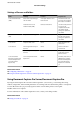
Items Explanation
Bonjour Service Name Enter the Bonjour service name between 1 and 41 characters in ASCII (0x20-0x7E).
Bonjour Location Enter location information such as the printer's placement within 127 bytes or less
in Unicode (UTF-8).
Geolocation
Latitude and Longitude (WGS84)
Enter the printer's location information. This entry is optional.
Enter values by using WGS-84 datum, which separates latitude and longitude with
a comma.
You can enter -90 to +90 for the latitude value, and -180 to +180 for the longitude
value. You can enter less than a decimal to the sixth place, and you can omit "+".
Top Priority Protocol Select top priority protocol from IPP and Port9100.
Wide-Area Bonjour Set whether or not to use Wide-Area Bonjour. If you use it, the printers must be
registered on the DNS server to be able to search the printer over the segment.
Enable AirPrint IPP, Bonjour, AirPrint (Scan service) are enabled, and IPP is established only with
secure communication.
Using Epson Connect Service
By using Epson Connect service available on the Internet, you can print from your smartphone, tablet PC, or
laptop, anytime and practically anywhere.
Administrator's Guide
Function Settings
76