
Operation Manual
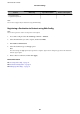


Features Web Cong Epson Device Admin Printer’s control panel
Sorting destinations
assigned to frequent use
––✓
Note:
You can also congure the fax destination using the FAX Utility.
Registering a Destination to Contacts using Web
Cong
Note:
You can also register the contacts on the printer’s control panel.
1. Access Web Cong and select the Scan/Copy or Fax tab > Contacts.
2. Select the number that you want to register, and then click Edit.
3.
Enter Name and Index Word.
4. Select the destination type as the Type option.
Note:
You cannot change the Ty pe option
aer
registration is complete. If you want to change the type, delete the destination
and then register again.
5.
Enter a value for each item, and then click Apply.
Related Information
& “Accessing Web Cong” on page 28
& “Destination Setting Items” on page 62
& “Backing Up the Settings” on page 97
Administrator's Guide
Function Settings
61