
Operation Manual



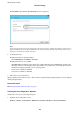

6. Enter the port number for the proxy server.
Conrm
the value
reected
on the previous screen.
7. Tap Start Setup.
8. Close the conrmation screen.
Connecting to LAN
Connect the printer to the network by Ethernet or Wi-Fi.
Related Information
& “Connecting to Ethernet” on page 25
& “Connecting to the Wireless LAN (Wi-Fi)” on page 26
Connecting to Ethernet
Connect the printer to the network by using the Ethernet cable, and check the connection.
1. Connect the printer and hub (LAN switch) by Ethernet cable.
2. Select Settings on the home screen.
3. Select General Settings > Network Settings.
4. Select Connection Check.
e
connection diagnosis result is displayed.
Conrm
the connection is correct.
5. Tap OK to nish.
When you tap Print Check Report, you can print the diagnosis result. Follow the on-screen instructions to
print it.
Related Information
& “Changing from Ethernet Connection to Wi-Fi Connection” on page 128
Administrator's Guide
Network Connection
25