
Operation Manual




Note:
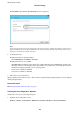
When you select Auto for the IP address assignment settings, you can select the DNS server settings from Manual or
Auto. If you cannot obtain the DNS server address automatically, select Manual and enter the DNS server address.
en, enter the secondary DNS server address directly. If you select Auto, go to step 10.
9. Enter the IP address for the secondary DNS server.
Conrm
the value
reected
on the previous screen.
10. Tap Start Setup.
11. Close the conrmation screen.
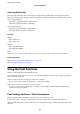
Setting the Proxy Server
Set up the proxy server if both of the following are true.
❏
e
proxy server is built for Internet connection.
❏ When using a function in which a printer directly connects to the Internet, such as Epson Connect service or
another company's cloud services.
1. Select Settings on the home screen.
When making settings aer IP address setting, the Advanced screen is displayed. Go to step 3.
2. Select General Settings > Network Settings > Advanced.
Administrator's Guide
Network Connection
23