
Operation Manual


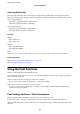

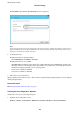

5. Select Manual for Obtain IP Address.
When you set the IP address automatically by using the DHCP function of router, select Auto. In that case, the
IP Address, Subnet Mask, and Default Gateway on step 6 to 7 are also set automatically, so go to step 8.
6. Enter the IP address.
Focus moves to the forward segment or the back segment separated by a period if you select
l
and
r
.
Conrm
the value
reected
on the previous screen.
7. Set up the Subnet Mask and Default Gateway.
Conrm the value reected on the previous screen.
c
Important:
If the combination of the IP Address, Subnet Mask and Default Gatewayis incorrect, Start Setup is inactive
and cannot proceed with the settings. Conrm that there is no error in the entry.
8. Enter the IP address for the primary DNS server.
Conrm the value reected on the previous screen.
Administrator's Guide
Network Connection
22