
Operation Manual


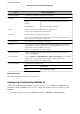


❏ Pre-Shared Key: Enter up to 127 characters.
Group Policy: Do not
congure.
Receiving printing data and printer settings
is example allows communications of printing data and printer conguration from specied services.
Default Policy:
❏ IPsec/IP Filtering: Enable
❏ Access Control: Refuse Access
Group Policy:
❏ Enable this Group Policy: Check the box.
❏ Access Control: Permit Access
❏ Remote Address(Host): IP address of a client
❏ Method of Choosing Port: Service Name
❏ Service Name: Check the box of ENPC, SNMP, HTTP (Local), HTTPS (Local) and RAW (Port9100).
Receiving access from a specied IP address only
is
example allows a
specied
IP address to access the printer.
Default Policy:
❏ IPsec/IP Filtering: Enable
❏ Access Control:Refuse Access
Group Policy:
❏ Enable this Group Policy: Check the box.
❏ Access Control: Permit Access
❏ Remote Address(Host): IP address of an administrator’s client
Note:
Regardless of policy conguration, the client will be able to access and congure the printer.
Conguring a Certicate for IPsec/IP Filtering
Congure the Client Certicate for IPsec/IP Filtering. When you set it, you can use the certicate as an
authentication method for IPsec/IP Filtering.If you want to
congure
the
certication
authority, go to CA
Certicate.
1. Access Web Cong and then select the Network Security tab > IPsec/IP Filtering > Client Certicate.
Administrator's Guide
Advanced Security Settings for Enterprise
121