
Operation Manual

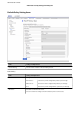


Items Settings and Explanation
Local Address(Printer) Select an IPv4 address or IPv6 address that matches your network environment. If an IP
address is assigned automatically, you can select Use auto-obtained IPv4 address.
Note:
If an IPv6 address is assigned automatically, the connection may be unavailable.
Congure a static IPv6 address.
Remote Address(Host) Enter a device's IP address to control access. The IP address must be 43 characters or less.
If you do not enter an IP address, all addresses are controlled.
Note:
If an IP address is assigned automatically (e.g. assigned by DHCP), the connection
may be unavailable. Congure a static IP address.
Method of Choosing Port Select a method to specify ports.
Service Name
If you select Service Name for Method of Choosing Port, select an option.
Transport Protocol
If you select Port Number for Method of Choosing Port, you need to congure an
encapsulation mode.
Any Protocol Select this to control all protocol types.
TCP Select this to control data for unicast.
UDP Select this to control data for broadcast and multicast.
ICMPv4 Select this to control ping command.
Local Port
If you select Port Number for Method of Choosing Port and if you select TCP or UDP for
Transport Protocol, enter port numbers to control receiving packets, separating them
with commas. You can enter 10 port numbers at the maximum.
Example: 20,80,119,5220
If you do not enter a port number, all ports are controlled.
Remote Port
If you select Port Number for Method of Choosing Port and if you select TCP or UDP for
Transport Protocol, enter port numbers to control sending packets, separating them
with commas. You can enter 10 port numbers at the maximum.
Example: 25,80,143,5220
If you do not enter a port number, all ports are controlled.
IKE Version Select IKEv1 or IKEv2 for IKE version.
Select one of them according to the device that the printer is connected to.
IKEv1
The following items are displayed when you select IKEv1 for IKE Version.
Authentication
Method
If you select IPsec for Access Control, select an option. Used
certicate is common with a default policy.
Pre-Shared Key
If you select Pre-Shared Key for Authentication Method, enter a
pre-shared key between 1 and 127 characters.
Conrm Pre-
Shared Key
Enter the key you congured for conrmation.
IKEv2
The following items are displayed when you select IKEv2 for IKE Version.
Administrator's Guide
Advanced Security Settings for Enterprise
117