
Operation Manual

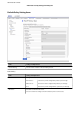


Items Settings and Explanation
Local Authentication
Method
To select Certicate, you need to obtain and import a CA-signed
certicate in advance.
ID Type
If you select Pre-Shared Key for Authentication Method, select
the type of ID for the printer.
ID Enter the printer's ID that matches the type of ID.
You cannot use "@", "#", and "=" for the rst character.
Distinguished Name : Enter 1 to 128 1-byte ASCII (0x20 to 0x7E)
characters. You need to include "=".
IP Address : Enter IPv4 or IPv6 format.
FQDN : Enter a combination of between 1 and 255 characters
using A-Z, a-z, 0-9, "-", and period (.).
Email Address : Enter 1 to 128 1-byte ASCII (0x20 to 0x7E)
characters. You need to include "@".
Key ID : Enter 1 to 128 1-byte ASCII (0x20 to 0x7E) characters.
Pre-Shared Key
If you select Pre-Shared Key for Authentication Method, enter a
pre-shared key between 1 and 127 characters.
Conrm Pre-
Shared Key
Enter the key you congured for conrmation.
Remote Authentication
Method
To select Certicate, you need to obtain and import a CA-signed
certicate in advance.
ID Type
If you select Pre-Shared Key for Authentication Method, select
the type of ID for the device that you want to authenticate.
ID Enter the printer's ID that matches to the type of ID.
You cannot use "@", "#", and "=" for the rst character.
Distinguished Name : Enter 1 to 128 1-byte ASCII (0x20 to 0x7E)
characters. You need to include "=".
IP Address : Enter IPv4 or IPv6 format.
FQDN : Enter a combination of between 1 and 255 characters
using A-Z, a-z, 0-9, "-", and period (.).
Email Address : Enter 1 to 128 1-byte ASCII (0x20 to 0x7E)
characters. You need to include "@".
Key ID : Enter 1 to 128 1-byte ASCII (0x20 to 0x7E) characters.
Pre-Shared Key
If you select Pre-Shared Key for Authentication Method, enter a
pre-shared key between 1 and 127 characters.
Conrm Pre-
Shared Key
Enter the key you congured for conrmation.
Encapsulation
If you select IPsec for Access Control, you need to congure an encapsulation mode.
Transport Mode If you only use the printer on the same LAN, select this. IP packets
of layer 4 or later are encrypted.
Tunnel Mode If you use the printer on the Internet-capable network such as
IPsec-VPN, select this option. The header and data of the IP
packets are encrypted.
Administrator's Guide
Advanced Security Settings for Enterprise
114