
Operation Manual





Click the start button, and select All Programs or Programs > EPSON > EPSON Scan > EPSON Scan
Settings.
2. Click Access Control.
3. Enter the user name and the password.
Scanning in
Oce
Mode
You can scan many text documents quickly.
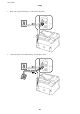
1. Place the originals.
2. Start EPSON Scan.
3. Select Oce Mode from the Mode list.
4. Make the following settings on the Main Settings tab.
❏ Document Source: Select the document source in which you placed your original.
❏ Size: Select the size of your original.
❏ Image Type: Select the type of image you want to scan.
❏ Resolution: Select the resolution of the image you want to scan.
User's Guide
Scanning
91